Core concepts
A few ideas explain almost everything in Exportelier. Once these click, the rest of the documentation reads quickly.
Templates vs. exports
A template is a reusable design: the layout, components and styling that define how a document looks. An export is a single run of a template against real Jira data, producing a PDF, Word or Markdown file. You design a template once and export from it many times.
Export contexts
An export context is the kind of Jira data you start from — a single issue, a JQL search, a board, a sprint, a release or the backlog. Each context feeds the same templating engine. See Export contexts.
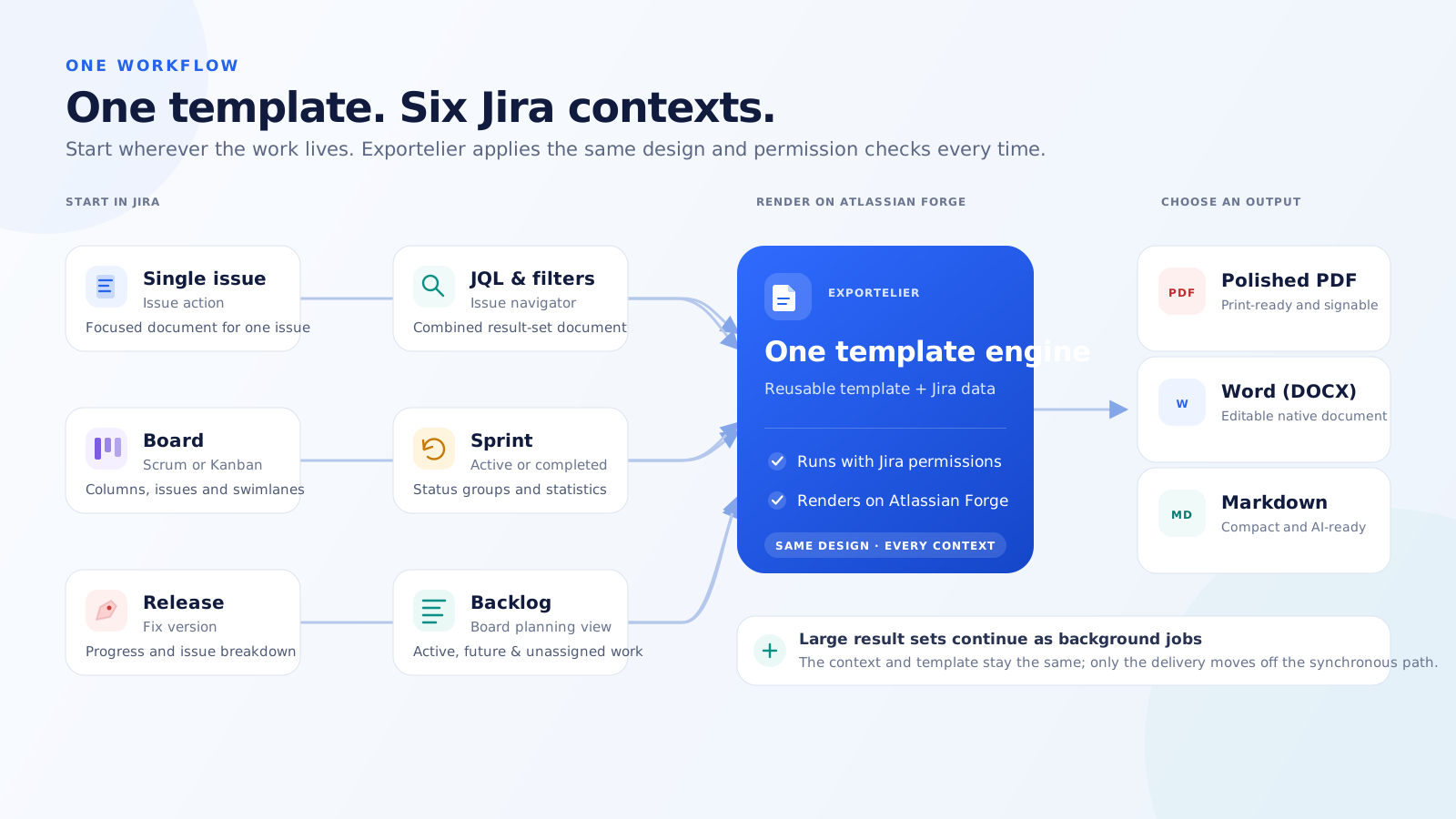 A diagram or screenshot collage showing the six entry points (issue, search, board, sprint, release, backlog).
Output formats
One template can produce three formats: PDF, Word (DOCX) and Markdown. The format is chosen at export time, not baked into the template. See Output formats.
Where rendering happens
All rendering happens on Atlassian Forge. The main app declares no external fetch and no webtriggers, so your data never leaves Atlassian. This is enforced by the Forge manifest. See Security architecture.
Permissions
Every export runs as you. You can only export issues you are allowed to browse, and template management is admin-only. See Permissions & roles.
Versions
Each saved template keeps version snapshots you can restore in one click. Separately, this product is released in versions (1.0, 1.1, …); the documentation is versioned to match. See Version snapshots and Release notes.