Fonts & watermarks
Control typography and add watermarks so documents match your house style and any confidentiality requirements.
Custom fonts
Select or upload fonts for a template so headings and body text match your brand.
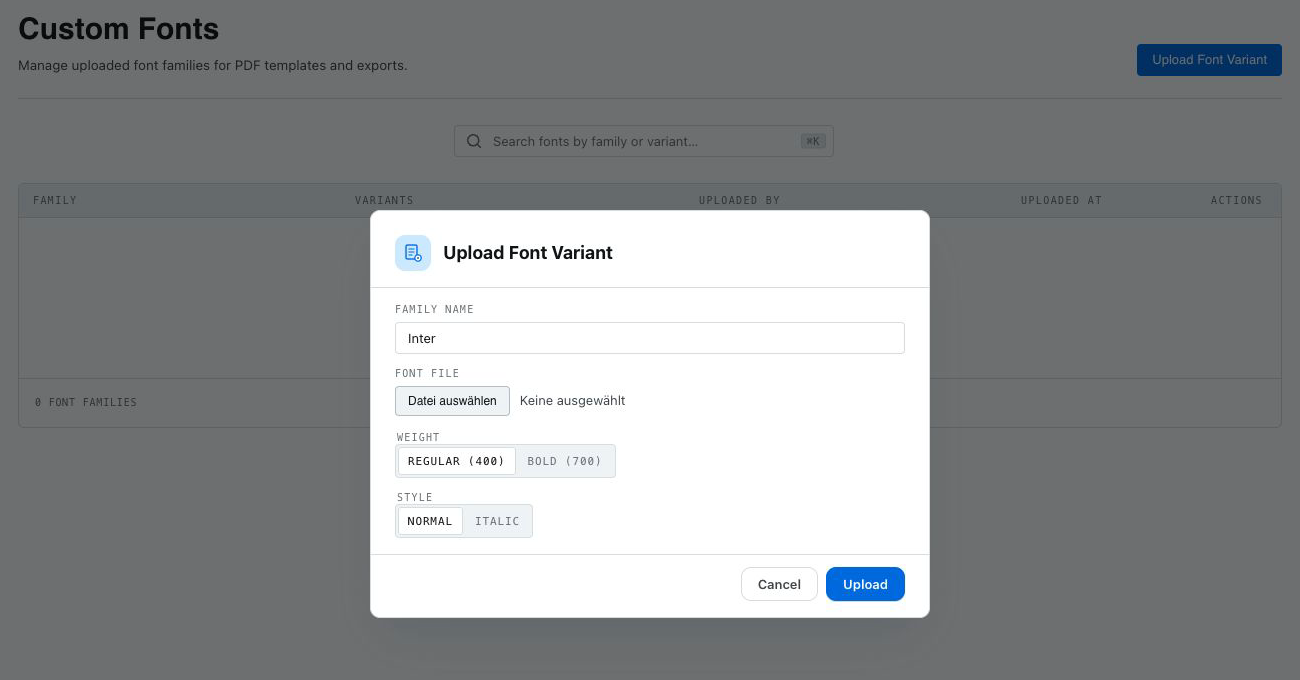 Prepare a font variant by choosing its family, weight, and style before selecting the local file.
Non-Latin scripts
For Japanese and other CJK content, ensure a suitable font is selected so characters render correctly in PDF and Word.
Watermarks
Add a watermark (for example, "Confidential" or "Draft") to a template. Watermarks apply to PDF output.
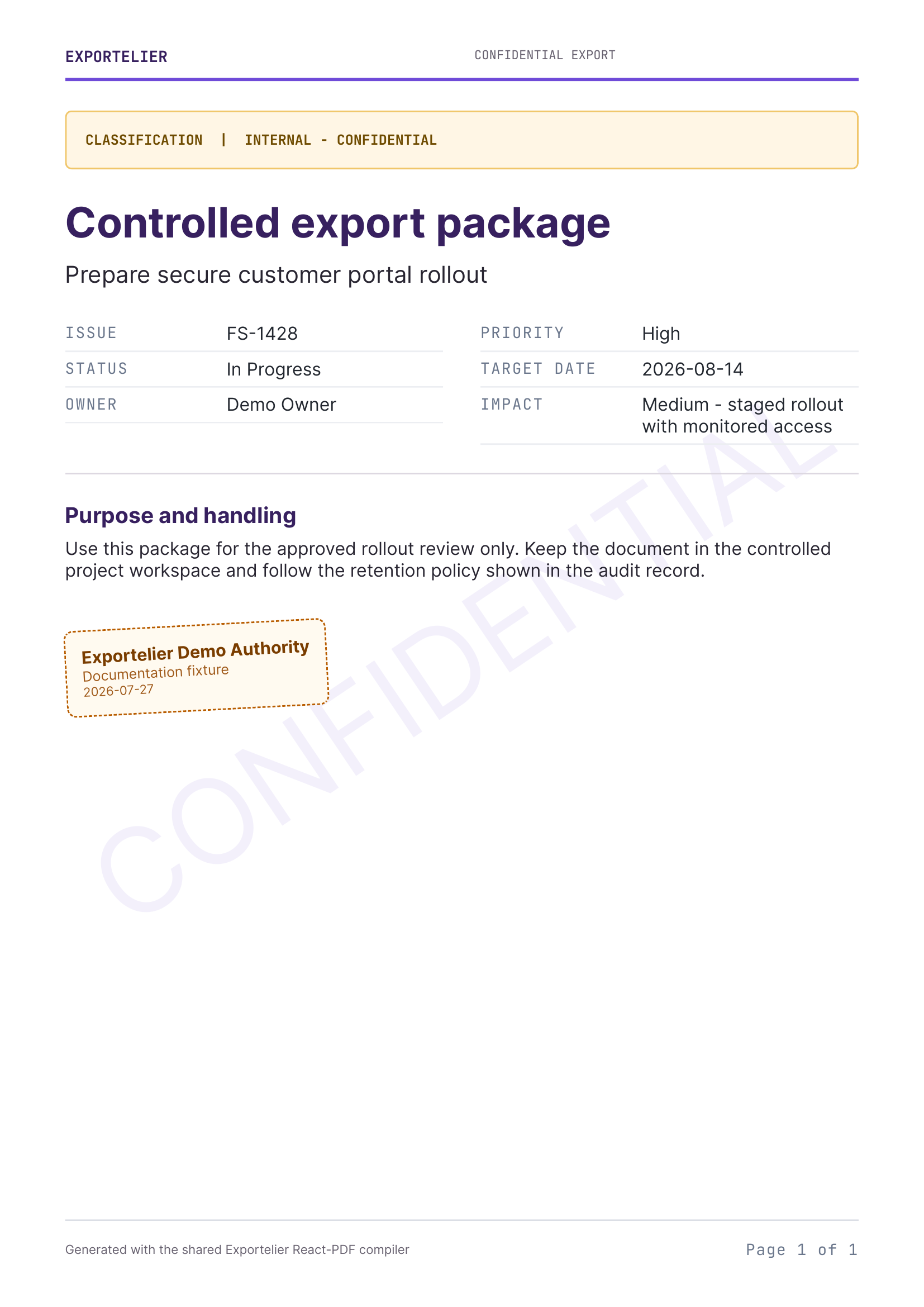 A PDF page with a diagonal "Confidential" watermark.
Per-template vs. global
Fonts and watermarks are set per template, so different document types can have different treatments. Use a branded base template to keep them consistent where you want them to match.