Jira Automation action
Exportelier provides an action for Jira Automation, so you can run an export as part of your existing Jira automation rules — no external API needed for in-Jira workflows.
Adding the action to a rule
- Edit a Jira Automation rule.
- Add the Exportelier export action.
- Configure the context, template and format.
- Combine with any trigger (for example, "when an issue transitions to Done").
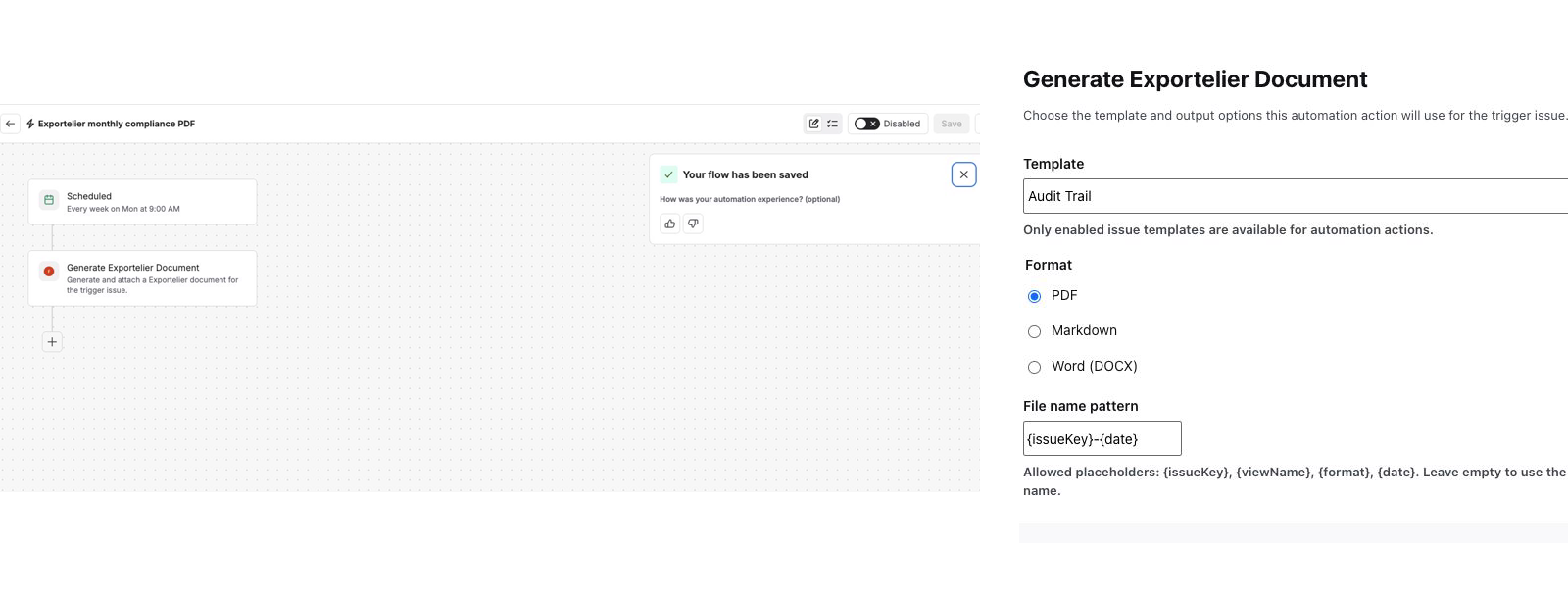 The Jira Automation rule builder with the Exportelier action added and configured.
Examples
- Export a release report automatically when a version is released.
- Generate a PDF when an issue reaches a specific status.
Delivery
This native action attaches the generated document to the Jira issue. For separate scheduled email or Slack/Teams delivery, install Exportelier Automation and configure its own schedule or API trigger; those channels do not extend this action directly.