Webhooks
Webhooks notify an external system when an export completes. They are provided by the Exportelier Automation app and are disabled until a site admin enables webhook egress.
Available webhook types
- Slack incoming webhook — posts the export summary to Slack.
- Microsoft Teams Workflow webhook — posts an Adaptive Card 1.2 through a customer-created Teams Workflow.
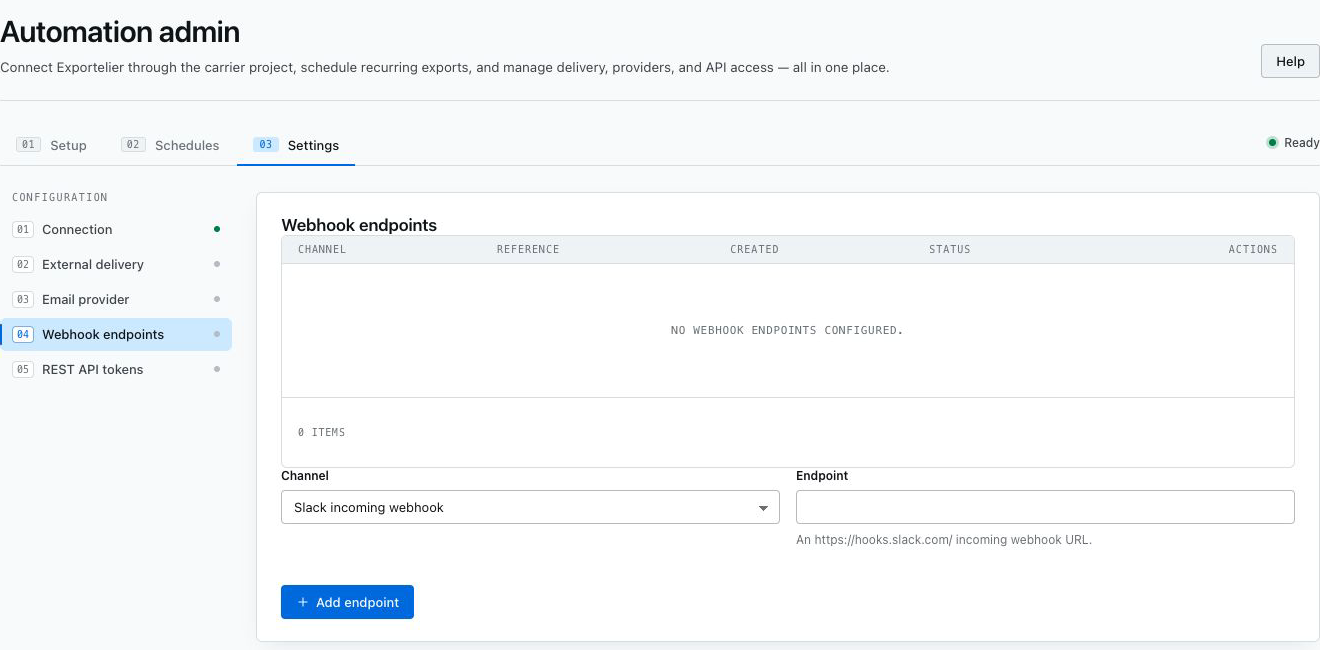 The webhook endpoint settings with type, masked reference, and status.
Microsoft Teams Workflow webhook
Microsoft retired Office 365 Connector webhooks in May 2026. Exportelier therefore accepts new Teams endpoints only from Microsoft Teams Workflows.
- In the target Teams channel, open More options (…) → Workflows.
- Select Send webhook alerts to a channel. This is the
Anyonetemplate. If you build the workflow from scratch, choose the trigger When a Teams webhook request is received and set its authentication type to Anyone. - Authenticate the Microsoft account that will own the workflow, select the team and channel, and add the workflow. Microsoft states that these Teams webhook templates do not require a premium license.
- Copy the generated URL. Treat it like a password: anyone who has this signed URL can trigger the workflow.
- In Exportelier Automation, enable Settings → Egress → Webhooks. Under Webhook endpoints, add the URL as Microsoft Teams Workflow webhook.
- Select the new endpoint on the schedule that should send the notification.
Exportelier stores the URL as an encrypted Forge secret and never returns it to the browser after saving. Supported URLs use HTTPS on a subdomain of environment.api.powerplatform.com or logic.azure.com. Exportelier sends an Adaptive Card containing the schedule name, file name, and issue count. It does not send an OAuth header; the secret Anyone URL authorizes the request.
Messages appear under Microsoft's default Workflows bot identity. Microsoft does not support a custom bot name or icon for these webhook posts.
Stored *.webhook.office.com endpoints remain visible as Action required so schedules are not silently changed. Create and test a new Workflow endpoint, update every affected schedule, and only then delete the legacy endpoint. Legacy endpoints are unavailable for new schedules and fail locally before any request is sent.
Reliability and security
- Webhook egress is off by default and requires explicit admin confirmation.
- Endpoint secrets are masked after saving and must not be placed in tickets, screenshots, or logs.
- Requests time out after 10 seconds and retry once only for network failures, HTTP
429, or5xx. - A successful provider response, including HTTP
200or202, marks the target as delivered.
See Security architecture for how egress is isolated, and the API page for programmatic triggering.