Scheduled exports
Scheduled exports run an export automatically on a timetable and deliver the result — no one has to remember to click Export. This feature is part of the Exportelier Automation app.
Creating a schedule
- Open Exportelier Automation.
- Create a schedule: choose the context (issue, JQL, board, sprint, release, backlog), a template, and a format.
- Set the cadence (for example, every Friday, or at sprint end).
- Choose a delivery target — see Email delivery or Webhooks.
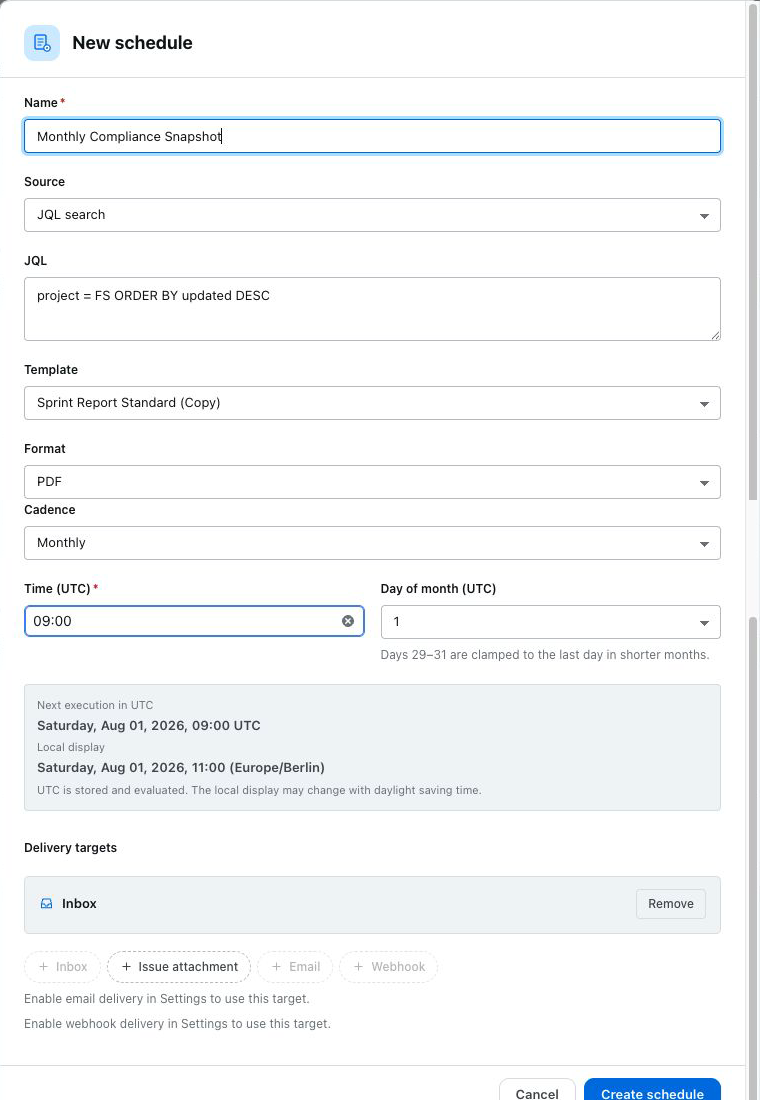 The schedule creation form with context, template, format, cadence and delivery fields.
Managing schedules
Edit, pause or delete schedules at any time. Paused schedules keep their configuration but do not run.
Requires the Automation app
Scheduling lives in the optional Automation app, which carries all outbound traffic. The main app never sends anything externally. See Security architecture.