Boards
Capture a Scrum or Kanban board as a document — ideal for steering meetings and for stakeholders who do not have a Jira seat.
How to export a board
- Open the board.
- Open Exportelier and choose the board context.
- Pick a template and format.
- Select Export.
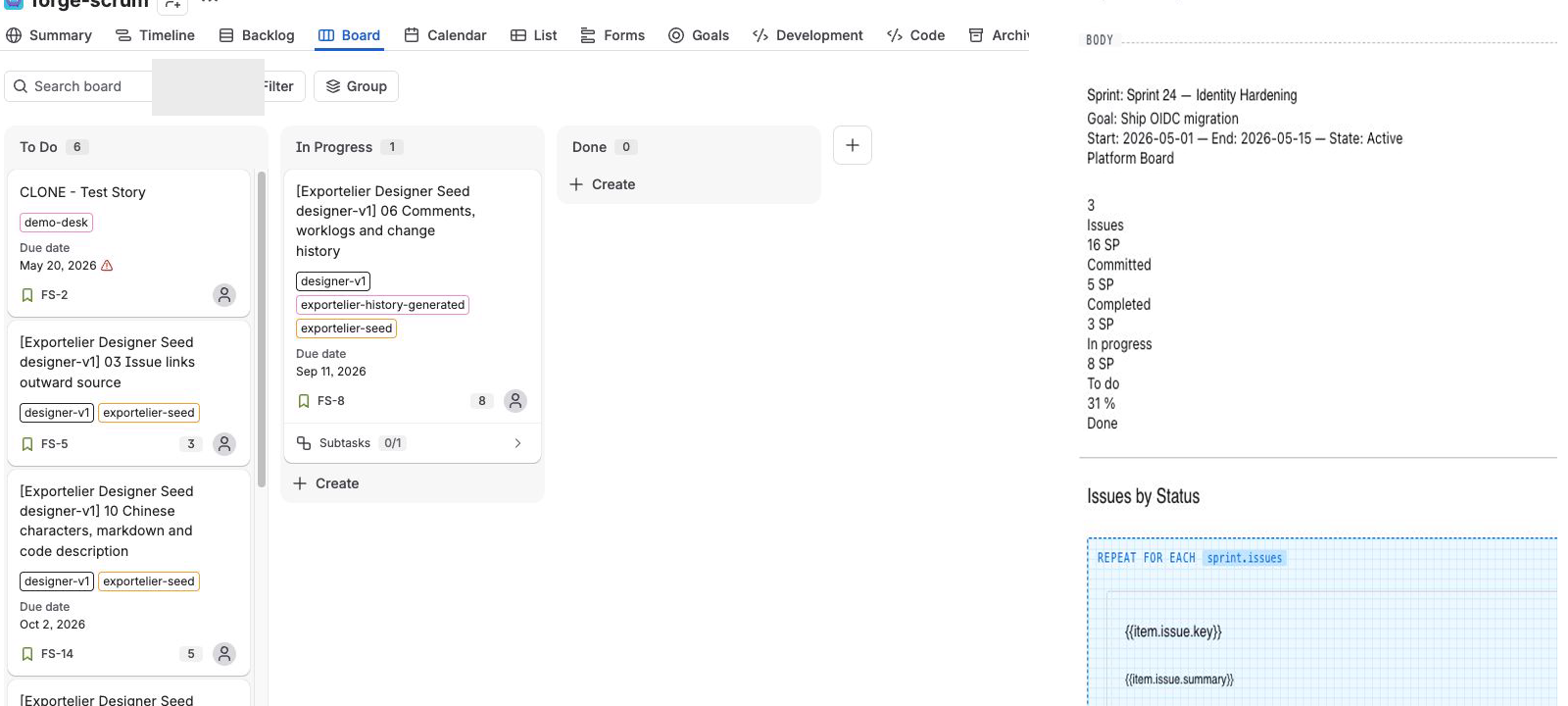 The real Jira board beside an Exportelier multi-issue report layout.
What a board export contains
- Columns and their issues, in board order.
- Swimlanes, where the board uses them.
- Card fields configured in the template (summary, assignee, status, estimates, etc.).
Use cases
- A read-only board snapshot for a steering committee.
- A point-in-time record of board state for a review.
Limitations
A board export is a snapshot of the current board contents at export time. For sprint-specific reporting, use the Sprints context.