Sprints
Generate a sprint report in one click — with issues grouped by status and sprint statistics included. The retro deck is ready before the retro starts.
How to export a sprint
- Open the board and select the sprint.
- Open Exportelier and choose the sprint context.
- Pick a template and format.
- Select Export.
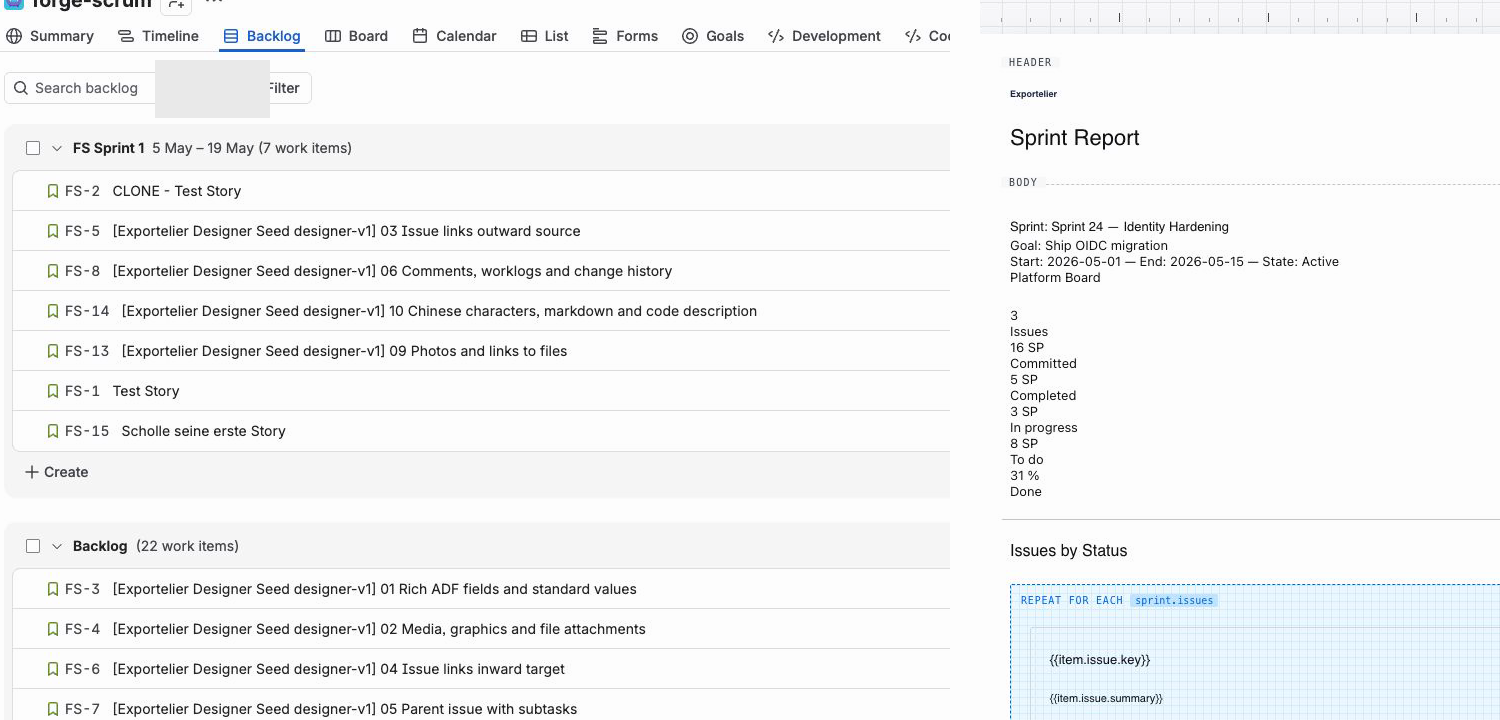 The sprint selection and the resulting sprint report with status groups and statistics.
What a sprint report contains
- Issues grouped by status (To Do / In Progress / Done, or your workflow's statuses).
- Sprint statistics such as completed vs. committed work.
- Any additional fields and sections your template defines.
Tips
- Build a dedicated "Sprint review" template once and reuse it every sprint.
- Combine with scheduled exports to deliver the report automatically at sprint end.