Binding components to Jira data
Components show real Jira data by being bound to a field. Binding is how a generic "field" component becomes "Assignee" or "Story points".
Selecting a field source
Select a component on the canvas, then choose the field it should display from the property panel. Standard fields and custom fields both appear in the picker.
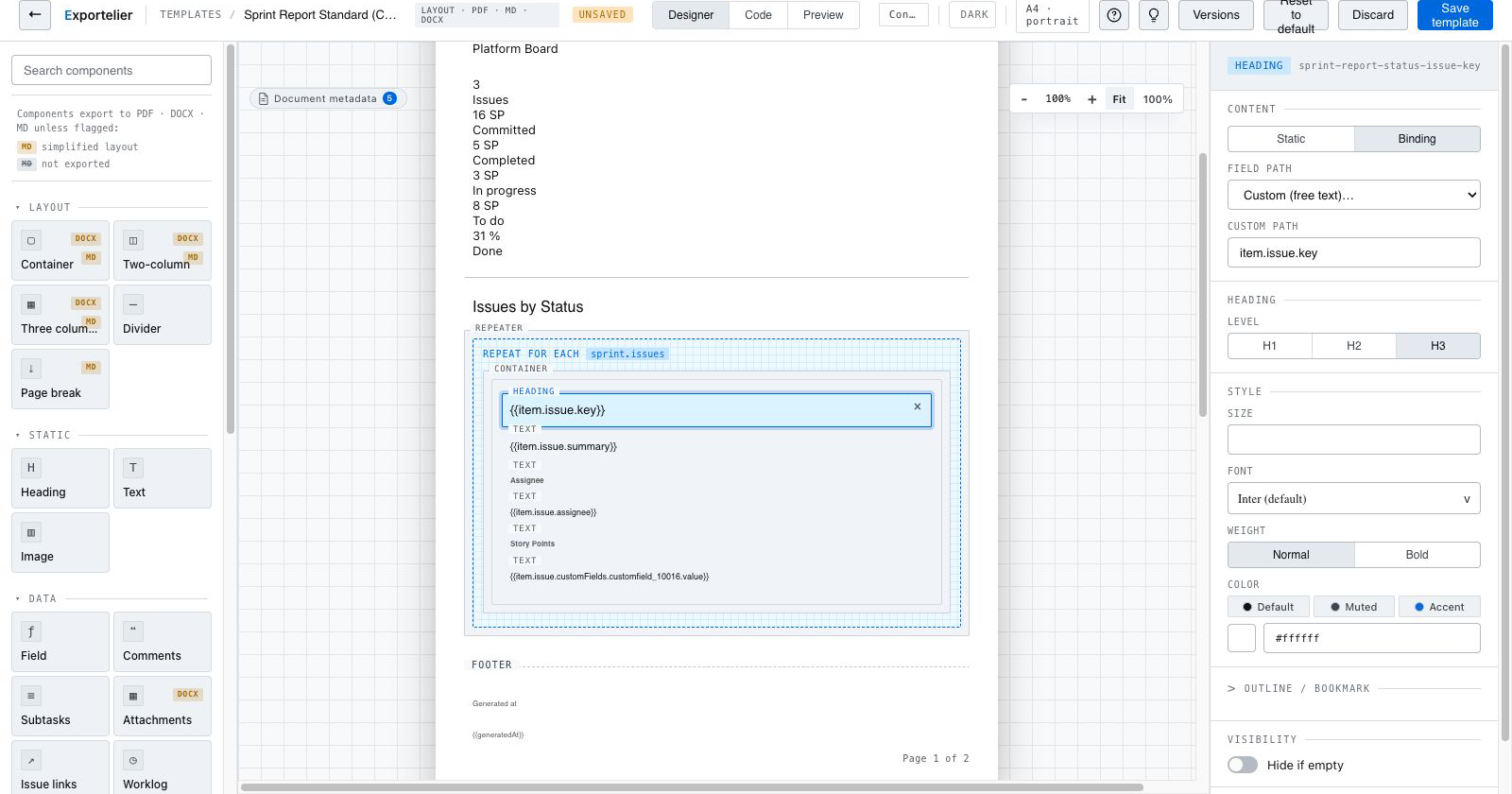 A field component selected on the canvas with the property panel showing the field picker.
Standard vs. custom fields
A field-renderer registry knows how to render standard Jira field types and many third-party custom field types. When a field type is not explicitly supported, a safe fallback renders its value as readable text rather than failing the export. See Custom fields.
Formatting values
Where a field supports it, you can control how the value is presented (for example, date formatting or how a user is displayed). The live preview reflects formatting choices immediately.
Preview against sample data
The designer previews bindings against realistic sample data, so you can verify a layout before exporting real issues.
If you bind to a field type the registry does not recognize, the value is rendered with the safe fallback instead of breaking the document. Report gaps so coverage can improve — see Field rendering problems.