Managing templates
Templates are managed by administrators. This page covers the lifecycle of a template.
Creating and duplicating
Create a template from scratch or duplicate an existing one. Duplicating a bundled default is the fastest way to start, because the structure is already in place.
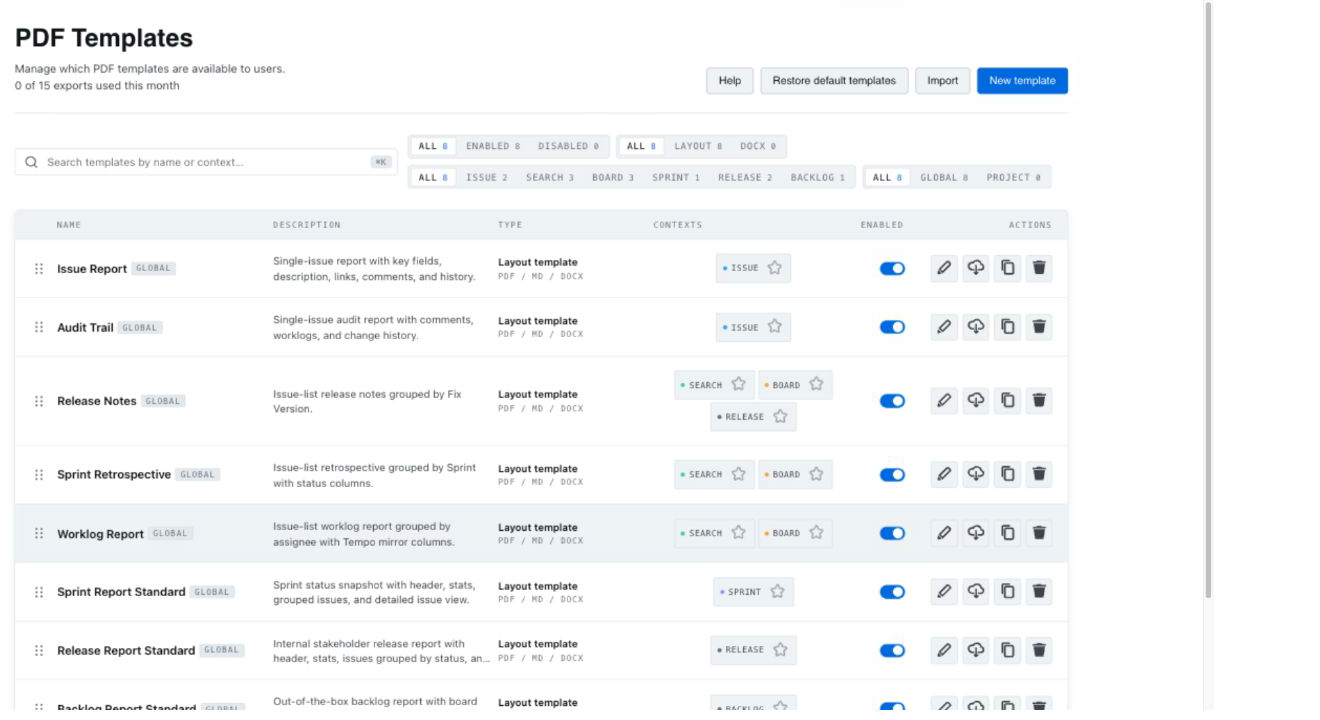 The template list with create, duplicate, rename and delete actions.
Naming
Use clear, purpose-based names (for example, "Customer release notes" or "Audit issue export") so the right template is easy to pick at export time.
Who can edit
Template management is admin-only. Regular users select from available templates when exporting but cannot change them. See Permissions & roles.
Project-scoped templates
Project-scoped templates are planned for Pro V1.2 and are not available at launch — see Project-scoped templates.
Deleting
Deleting a template removes it from the export pickers. Because version snapshots and bundled defaults exist, you can recreate or restore a baseline if needed.